LINK UP
Find the time. Make the plan.
- Role
- Lead mobile + backend engineer
- Timeline
- Phased delivery · store-ready Oct 2026
- Stack
- Flutter · Firebase · Gemini
- Platforms
- iOS & Android, one Flutter codebase
- Client
- Link-Up Social Inc.
- Team
- Me (engineering, architecture, store readiness) and the founder (product, legal)
- Scope
- 35-screen app · admin panel · cloud backend · AI planner · store launch
The store listing · swipe
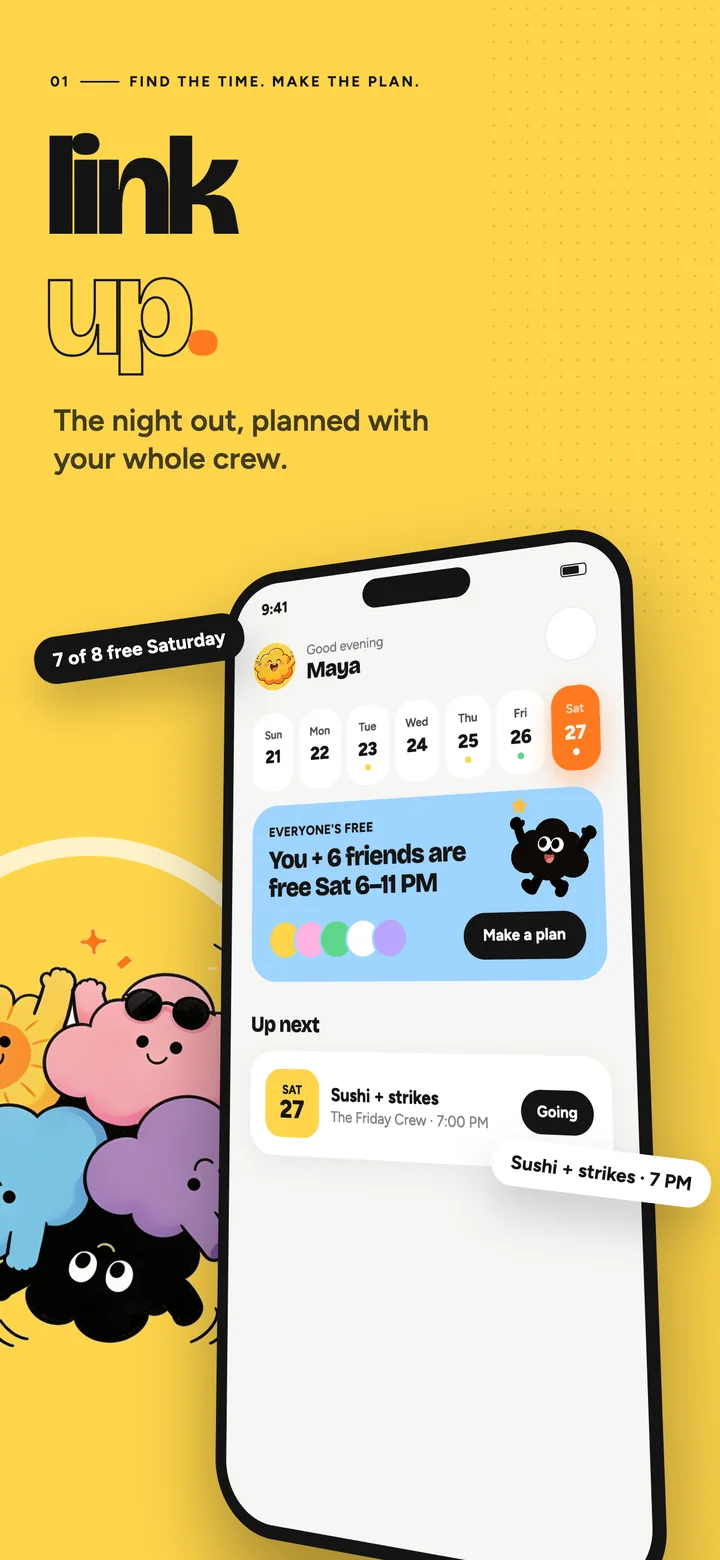
Find the time. Make the plan. 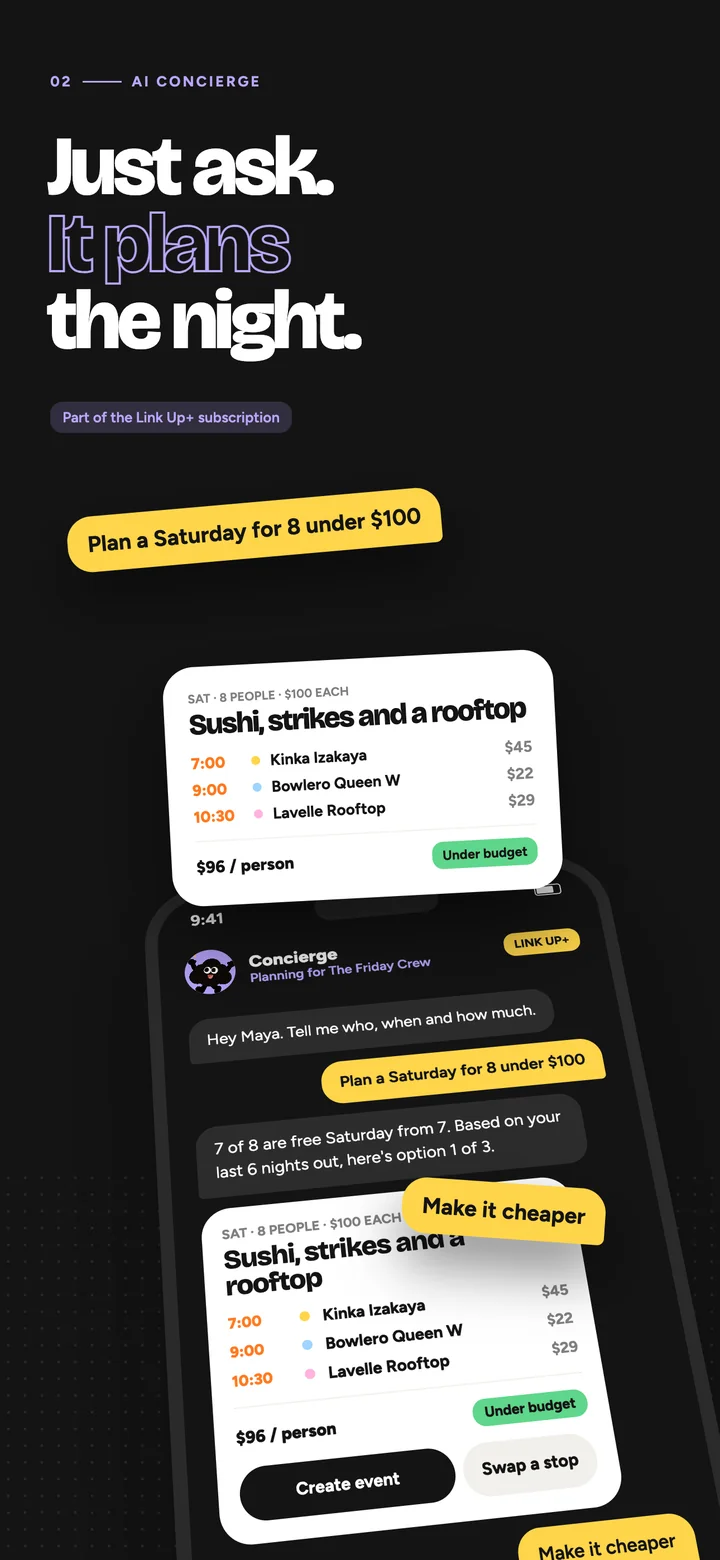
Just ask. It plans the night. 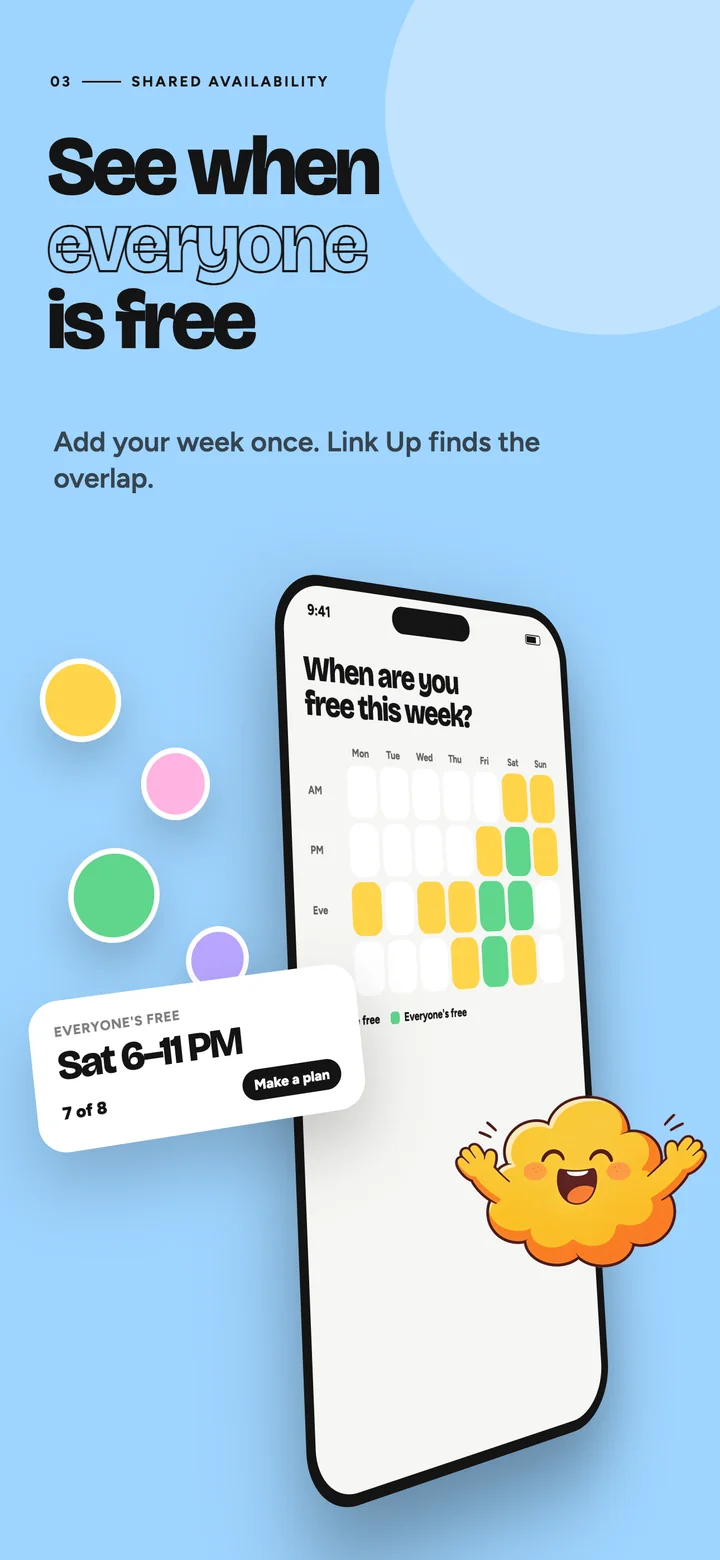
See when everyone is free. 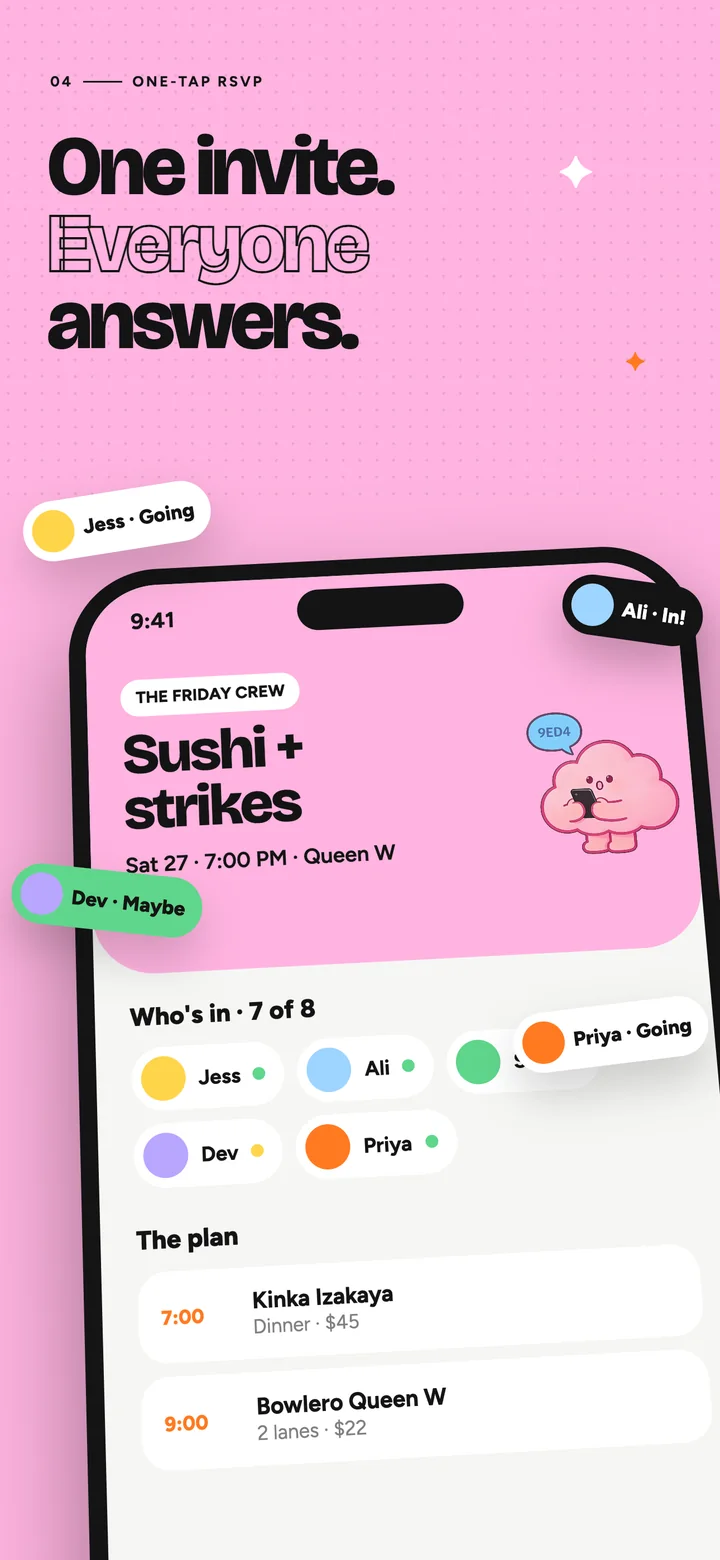
One invite. Everyone answers. 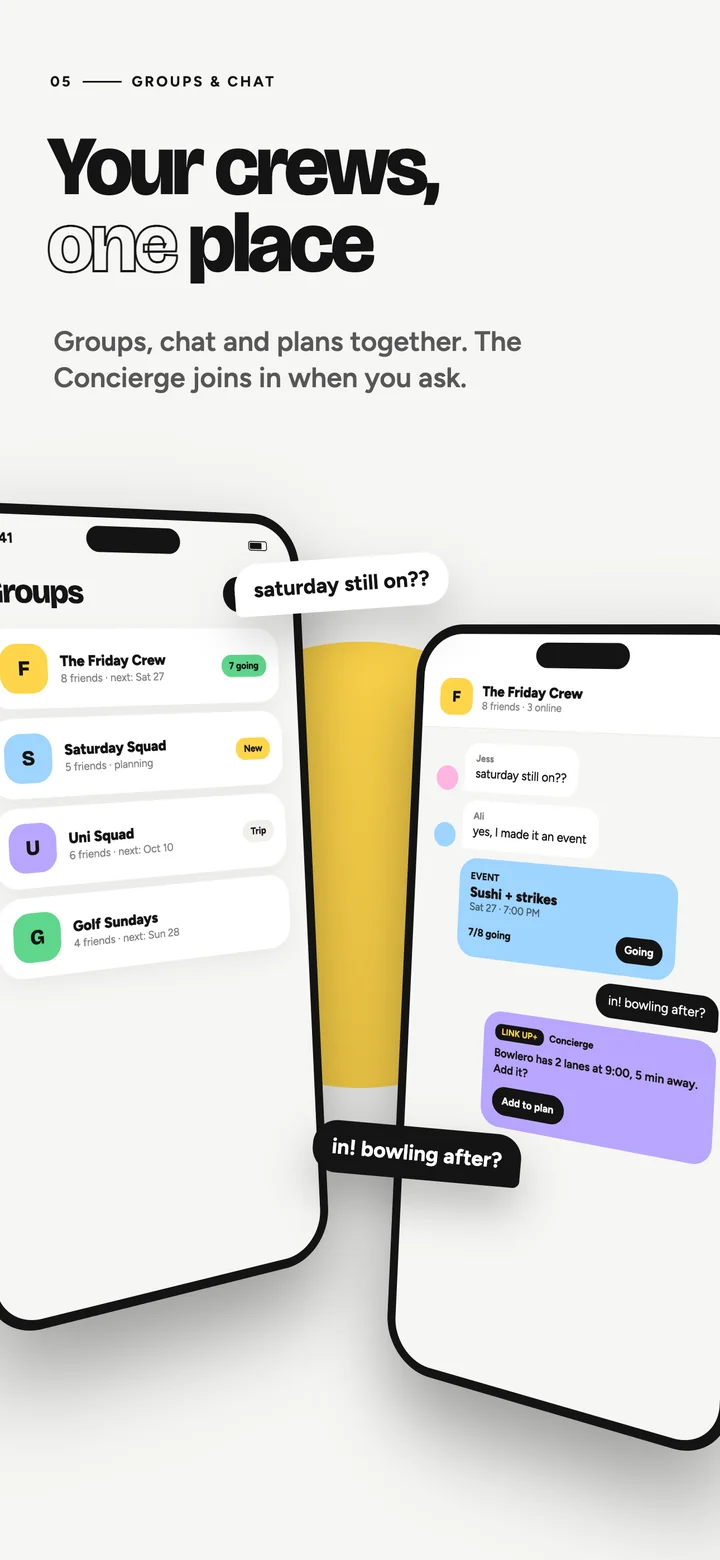
Your crews, one place. 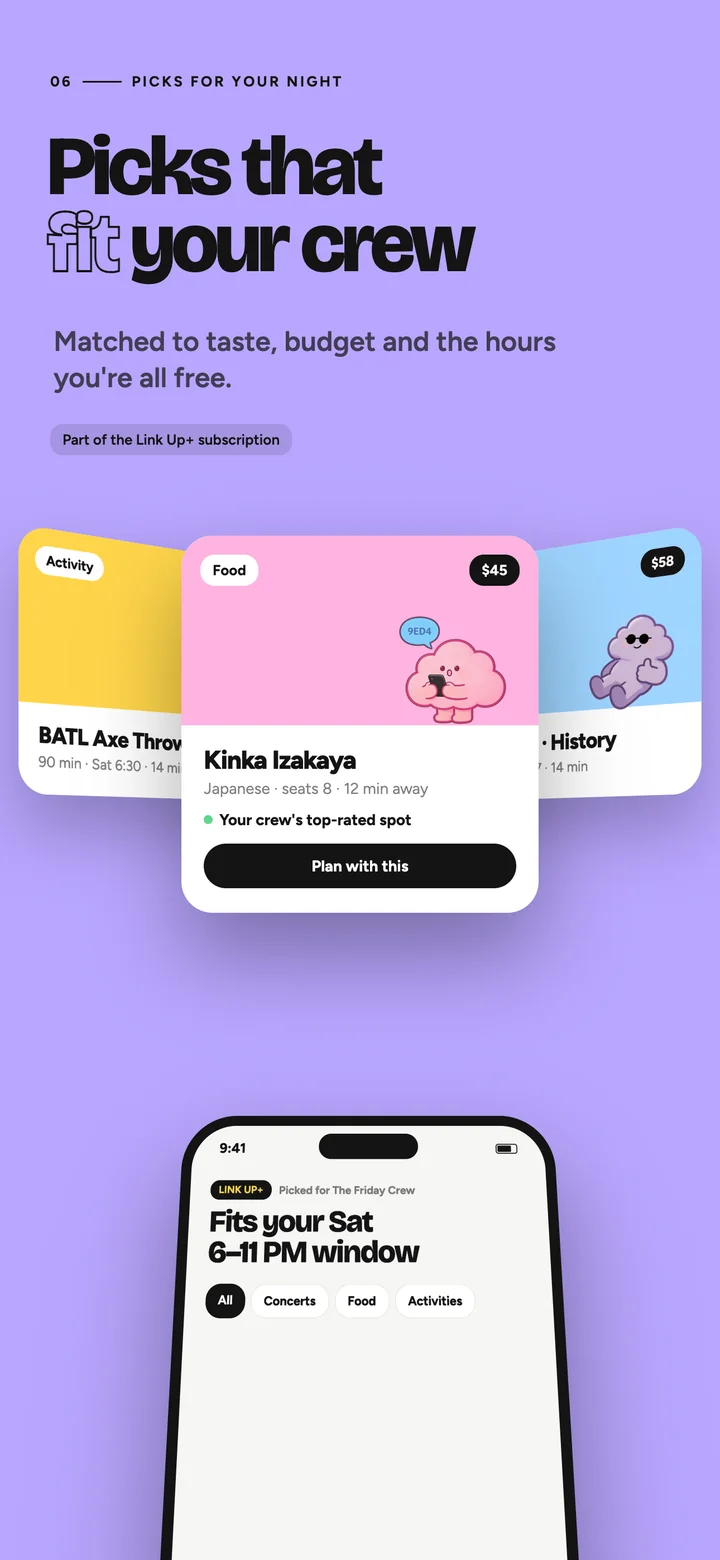
Picks that fit your crew. 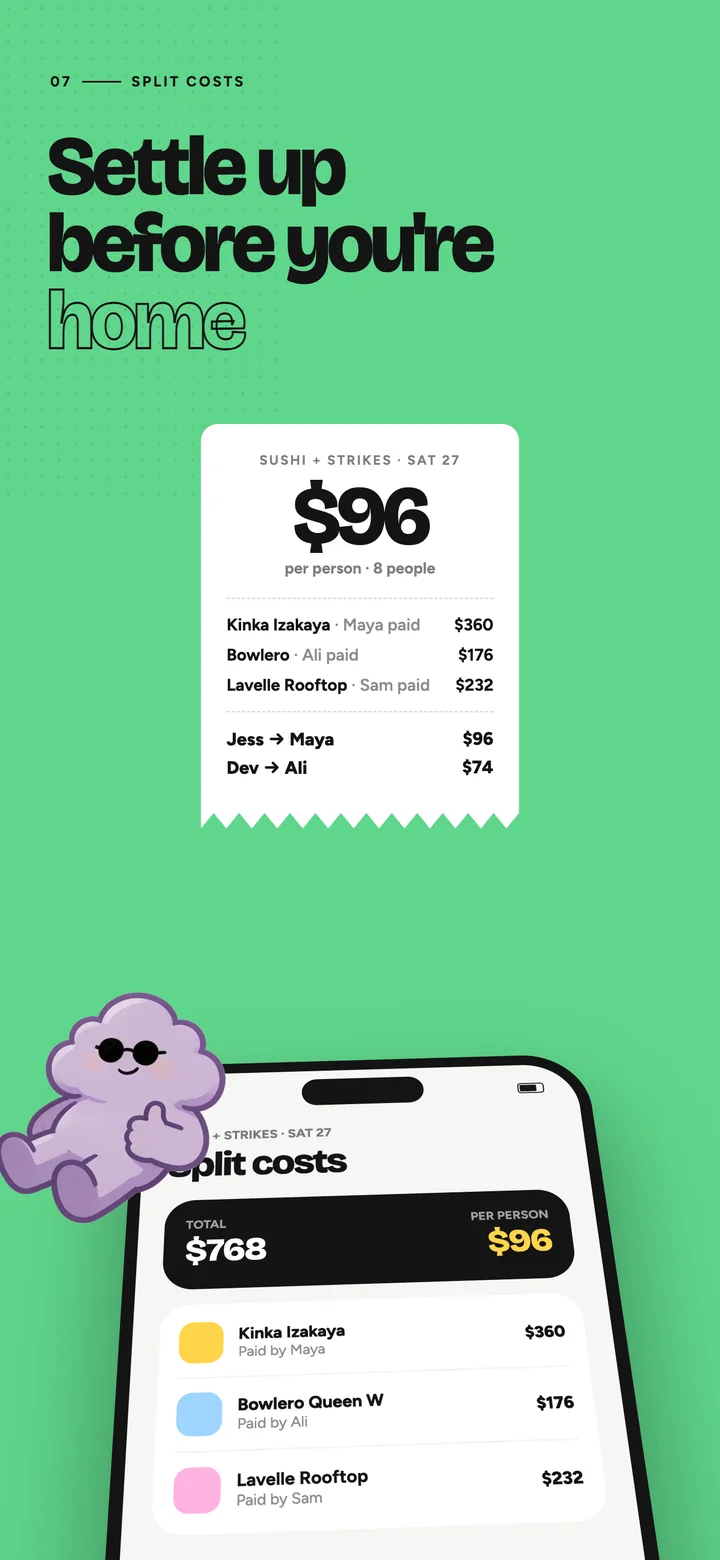
Settle up before you're home. 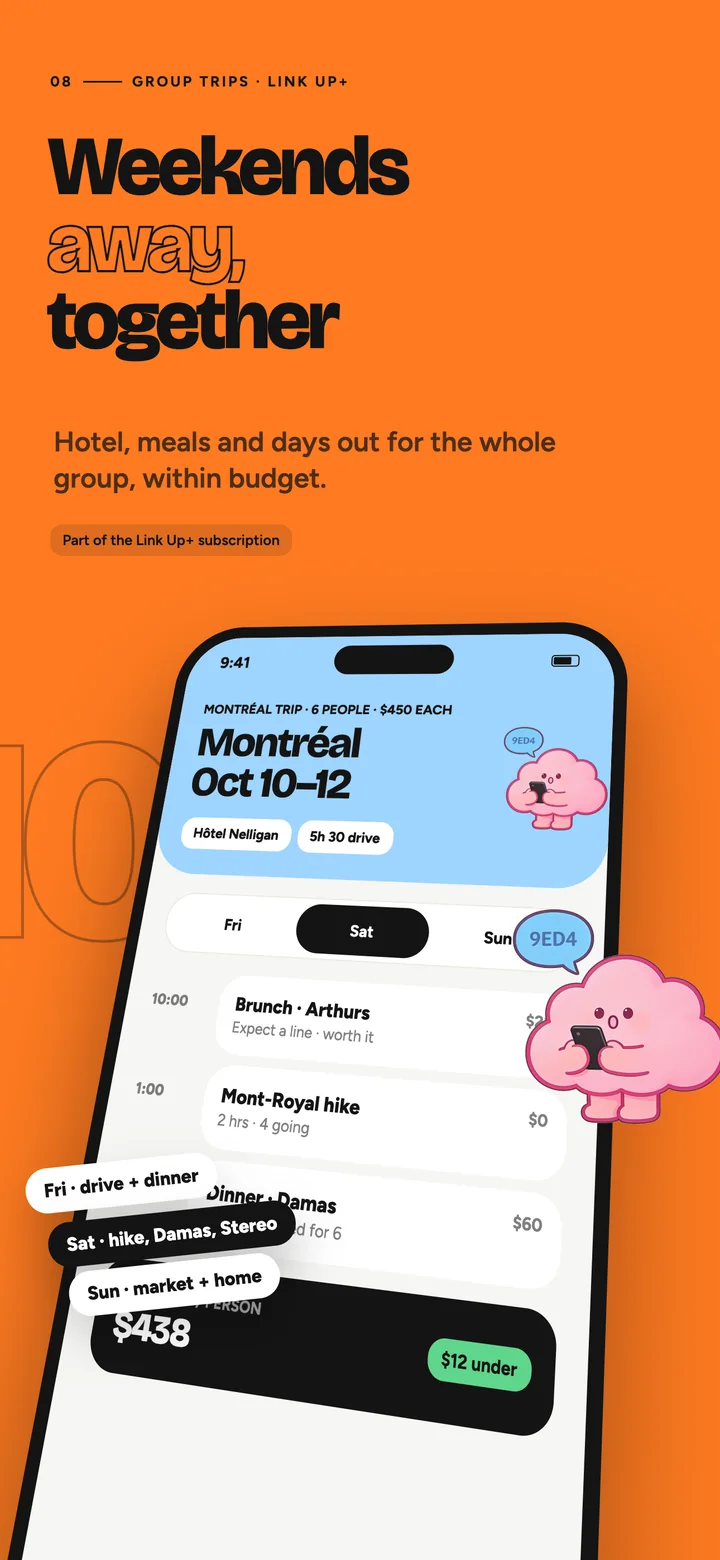
Weekends away, together.
OVERVIEW
Link Up is for friends who want to spend time together but never agree on when and where. It puts three things that usually live in separate apps on one screen: everyone's availability, a feed of places and events nearby, and an AI planner that proposes a complete evening. Plans are private by design: invite-only groups, friends-only messages, no public feed.
THE PROBLEM
Planning a night out dies in the group chat. Someone proposes a day, half the group never answers, the venue debate restarts twice, and the plan quietly falls apart. The audience includes teenagers, so age checks, content filtering and privacy defaults had to be built in from the first screen, on an early-stage startup budget.
WHAT I BUILT
I built the whole product: the Flutter app for iPhone and Android, the Firebase and Google Cloud backend, the AI planner on Gemini, a Next.js admin panel, and the compliance and store work for a 13+ rating. Then I rebuilt the hot paths so the app opens instantly even from the slowest market we test from.
The friction
What the product had to remove.
NOBODY KNOWS WHEN EVERYONE IS FREE
Availability lives in people's heads and calendars.
CHOOSING A PLACE TAKES LONGER THAN GOING
Search, reviews, distance and opening hours are spread across several apps.
SOMEONE HAS TO DO THE WORK
One person always ends up assembling the plan by hand.
The product, screen by screen
How a session moves through the app.
- 01
FIRST OPEN
A welcome screen, then a neutral age gate that asks for date of birth and country before any account exists. Under-13s are refused on the device and the server, with a seven-day cooldown per install. Apple's and Google's age signals tighten the band when the platform provides one.
- 02
SIGN-IN
Apple, Google or email. Terms, privacy policy and community guidelines are accepted per region (US, UK, EU and other packs) and re-accepted when a version changes.
- 03
SETUP
Profile (moderated before it is shown), home city (a map pin for adults; teens keep a coarse city-level location), taste (vibes, cuisines, accessibility needs, budget) and a weekly availability grid.
- 04
HOME
The daily starting point: open tonight near you, the week overview with friends' free slots overlapping yours, upcoming events and RSVPs, saved items. Home paints instantly from the device cache and refreshes quietly in the background.
- 05
EXPLORE
Places and events near the home city or the current location: chips, text search, filters, list and map views, and detail screens with photos, opening hours and travel time. Search never comes back empty: the server widens the radius, falls back to the nearest launch city and finally to a curated floor.
- 06
GROUPS & CHAT
Invite-only groups with chat, polls, mentions, announcements and a group AI button that proposes a time or a place to the whole group. Friends-only direct messages. Every message, profile, group and event can be reported from the item itself; blocking applies everywhere.
- 07
EVENTS
Create an event from a place or from scratch, invite friends or a group, collect RSVPs, get reminders, add it to the calendar, and keep an itinerary of stops.
- 08
PLAN MY NIGHT & SURPRISE ME
A short form (people, budget, area, start time, vibes, travel limit, transport), a thinking screen with live progress, then one to three complete options with ordered stops, travel between them and a per-person cost. Any stop can be swapped. Surprise me returns three options in three categories. Adults only.
- 09
LINK UP AI
A chat tab and a floating button available across the app. Answers arrive as cards (venues, plan summaries, action pills) rather than plain text. Anything that changes data is proposed as a card the user confirms; the AI never writes without that tap, and every AI surface says it is an AI and can be wrong.
- 10
ME
Profile and taste, availability, saved places, friends and blocked users, notifications and quiet hours, calendar feed, support, and a privacy centre with data export, privacy requests and account deletion.
Key features
A weekly pattern plus one-off overrides, fanned out on the server into a week overview, so Home shows who is free tonight without heavy work on the phone.
A widening search over Google Places and Ticketmaster with a 15-minute shared cache per area, so one neighbourhood costs one upstream search however many people live there.
Form-driven plans pre-run their searches in parallel, then make a single model call that must save a plan draft; the general chat keeps a full agent loop with tool calls, a correction budget and rescue rounds.
The model returns typed blocks checked against a schema; ids are verified against what the tools actually returned, and proposals need a confirm tap.
Private profiles, friends-only messages, no precise home location, no bars, nightlife or gambling venues, no marketing pushes, quiet hours, and AI off for minors until the policy decision is made.
Data export, deletion inside the app and on the web (it works for Apple private-relay users too), and privacy requests with legal deadlines tracked on the server.
Who paid what and who owes whom, per person, settled before anyone is home.
Weekends away for the whole group: hotel, meals and days out, within budget.
Architecture
Top to bottom: what runs where.
- APP
- Flutter for iOS and Android
- Riverpod · go_router · clean architecture per feature (data / domain / presentation)
- ADMIN
- Next.js admin panel on Firebase App Hosting
- Moderation queue, AI control, costs, app health, config, audit log
- DATA
- Firebase Auth · Firestore with rules-validated direct writes · Cloud Storage · App Check
- BACKEND
- Cloud Functions (Node 22, TypeScript, us-east4): callables, Firestore triggers, Cloud Tasks workers, schedules
- Per-family service accounts; secrets in Secret Manager
- SERVICES
- Google Places & Routes (places, photos, travel)
- Ticketmaster Discovery (events)
- Gemini via Genkit (planner, guard, moderation; prompt caching; eval harness)
- Crashlytics · Performance Monitoring · Cloud Logging · budgets and alerts
Decisions that mattered
LOCAL FIRST, SERVER FOR SAFETY
The app reads Firestore directly with persistence and writes its own small documents under security rules; Cloud Functions are reserved for third-party APIs, safety checks and invariants.
SERVER-MAINTAINED FEEDS
The Home strip and the AI status are documents the app listens to, written by triggers, so opening the app makes no callable at all.
ONE CONTRACT PER PHASE
Each phase shipped with a written contract (data model, rules, tests, deploy list) and an as-built section, which kept the admin panel, the app and the functions in step.
COST AS A DESIGN INPUT
Photos, searches and AI tokens are metered per user and per install with daily tiers, global per-method caps and a breaker, with the cost rollup visible in the admin panel.
Safety, privacy & compliance
Built in from the first screen, not bolted on for review.
Neutral age gate before any identity is collected; an under-13 reporting page for parents and teachers.
Server-side venue filtering for minors by the stricter of home and venue jurisdiction; restricted-term checks on announcements and broadcasts.
Profanity and brand lists on names, a classifier on group chat, avatar moderation before display, and a staffed moderation queue with a 24-hour target.
An AI consent sheet naming the provider and the data sent; disclosure on every AI surface; a server-side kill switch and rollout control.
App Store privacy labels, the 13+ age rating, and Play data-safety and child-safety declarations derived from the code, each claim traced to the collection or function that makes it true.
Performance engineering
Measured first, then rebuilt. Before and after.
App open: five sequential cold callables, about 19 s from Pakistan
Zero callables at open; Home paints from cache; device and presence written directly under rules; feeds listened
Cold starts of 5–6 s on every hot function and the admin
Warm instances on the hot functions, the identity functions and the admin
Plan my night: 6–8 sequential model rounds, 40–60 s and 65–75k tokens
A fast lane: searches pre-run in parallel, one forced model call; about 15–17 s and a fifth of the tokens
Full-size photos everywhere
640 px images with a coalescing loader, cached on device for a day
Explore re-fetched on every chip change
15-minute on-device result cache, detail prefetch on tap, optimistic saves and votes
Quality & reliability
How the work is kept correct, release after release.
About 8,000 automated tests across the backend (unit, red-team, Firestore rules on the emulator) and the app (unit and widget), all green at every merge.
A recorded AI evaluation harness with 429 cases (guard recall and precision, injection resistance, actions without confirm, hallucinated ids, cross-group leaks, minor safety, latency and cost gates) run against the live model before each AI deploy. Zero safety-gate failures in the final live run.
Performance traces for app start, Home, Explore, details, AI plans and chats, each with a budget, plus an app health page in the admin panel.
Observability without identifiers: crash reports keyed by a hashed id, structured logs with a peppered hash, no user id in any log line.
A load drill against production (300 concurrent app opens and 50 concurrent searches, with automatic cleanup) found and fixed three issues before launch: missing invoker grants on new triggers, a search instance that died under a burst, and request concurrency that queued a burst onto one vCPU.
Store readiness
Bundle and package com.linkupcrew.app, Sign in with Apple with token revocation on deletion, push through APNs and FCM, universal links and Android app links, an App Store Connect listing complete with age rating, privacy labels, availability in 172 countries, review notes and a TestFlight build, and the equivalent material prepared for Google Play.
The design
Every project gets its own mini design system — palette, type and components defined before the first screen is built.
Color palette
Sun
#FFD54A
Ink
#141414
Sky
#9ED4FF
Candy
#FFB3E0
Grape
#B9A6FF
Mint
#5FD68B
Tangerine
#FF7A21
Paper
#F6F6F4
Type & components
Bold grotesk, outlined accents
paired with a clean sans for UI text
Results
~15 s
to generate a plan, down from 40–60 s: four times faster, five times cheaper per plan
0
network calls at app open: from a 19-second worst case to an instant cached paint
8,000+
automated tests, all green at every merge
$5–7
estimated running cost per active user per month at launch volumes
What I learned
Measure from the worst network you can find; the fixes that matter are architectural (fewer round trips), not micro-optimisations.
Write the compliance answers from the code, not from memory: every privacy label and rating answer was traced to a collection, a rule or a function, which made the store questionnaires a copy-paste exercise.
An AI feature needs a harness before it needs a prompt. The red-team and gate suite caught more regressions than any manual test.
Load-test production before users do, with cleanup built into the script.
Want an app like this?
Replies within 24 hours · First intro call free
Book a free intro callPrefer writing? Email me instead